Indoor wayfinding on the phone
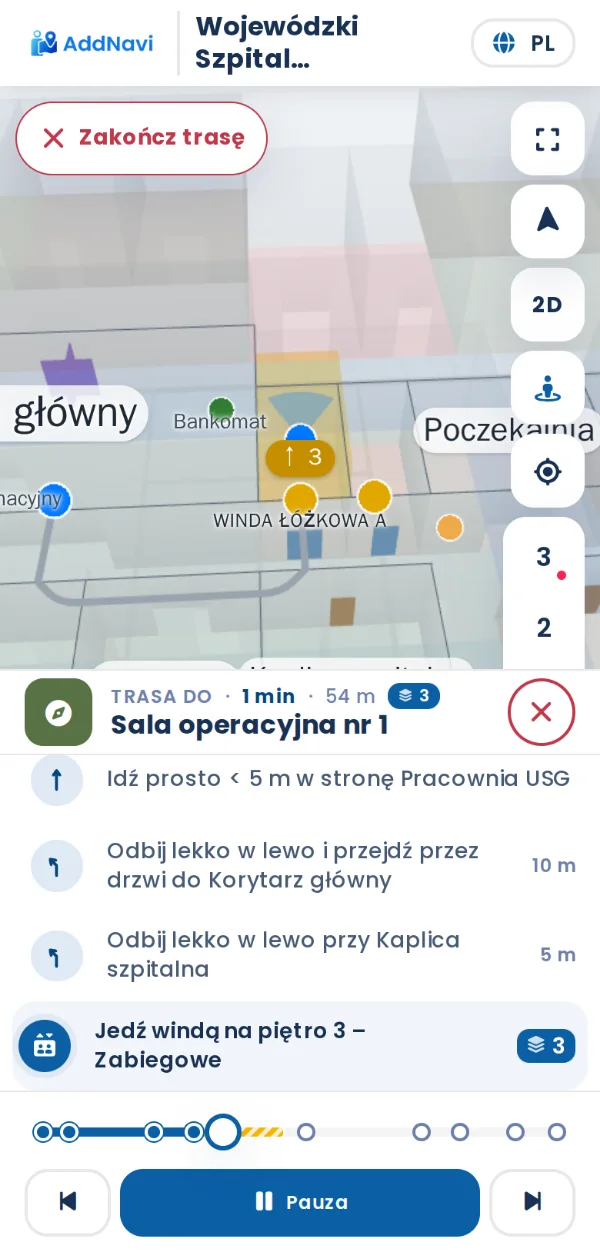
Visitors carry on with the route on their phone. They scan a QR code on the kiosk or on a wall, and the map opens in the phone’s browser and guides them from where the code is.
From the kiosk to the phone
Next to the route on the kiosk screen is a QR code. Once scanned, the route opens on the phone, with no sign-in, and keeps guiding across floors and buildings with the same directions as the kiosk.
- Directions with landmarks
- Lift or stairs, and a step-free route in accessibility mode
- Languages chosen for the site’s visitors
QR codes around the site
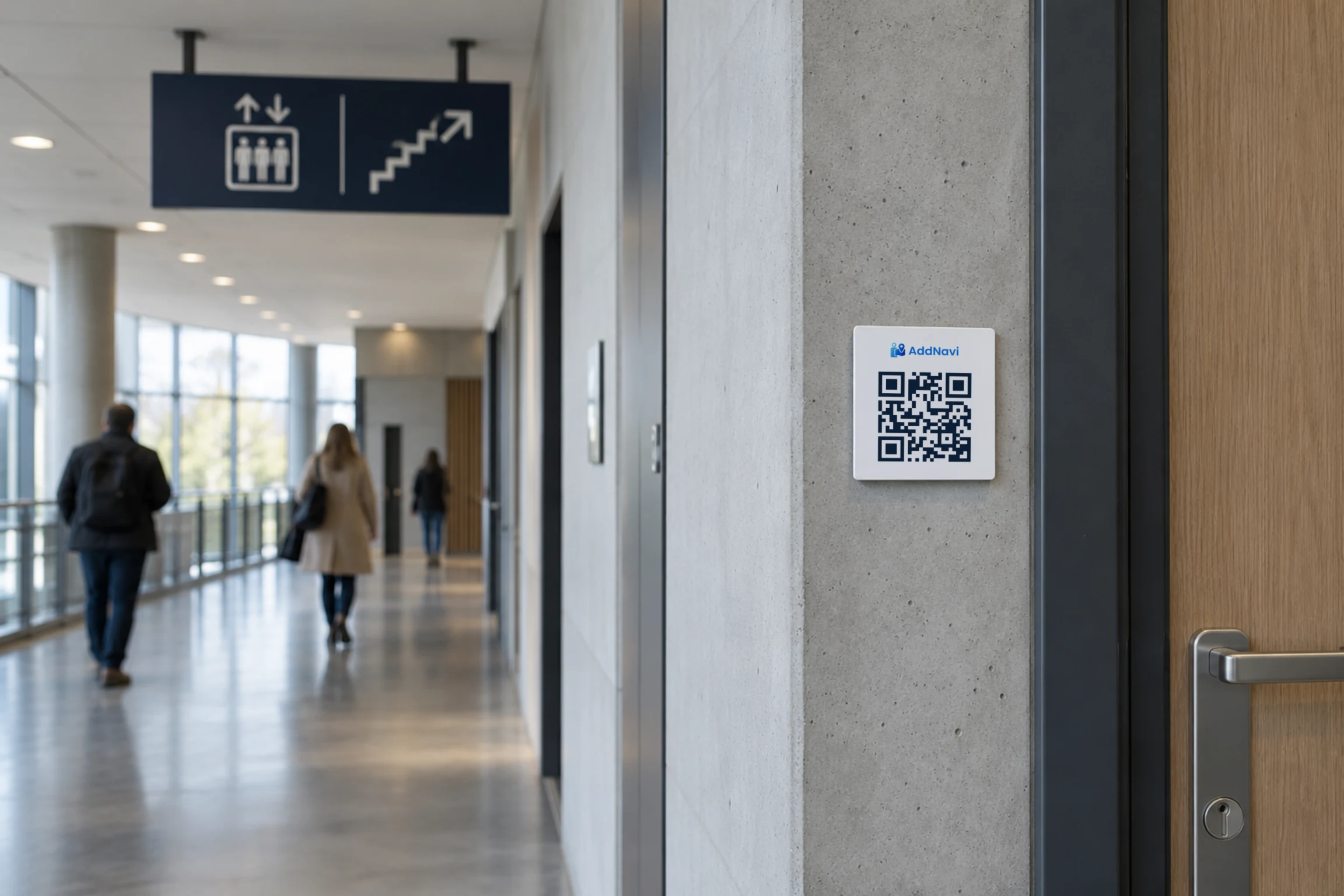
QR codes hang at entrances, in corridors and by the lifts. Each code knows its position and direction, so the map starts from where the visitor is standing. A code can also go on a printout, for example from hospital registration.
Position from BLE beacons
Where BLE beacons are installed, the phone shows its position on the map as the visitor walks, typically accurate to 1–3 m. The AddNavi deployment team installs and configures the beacons.
BLE positioningMore features
No sign-in
The route opens as soon as the code is scanned.
Floors, buildings and grounds
The route leads across floors, between buildings and across outdoor grounds.
Site identity
The site’s colours and logo on the phone, as on the kiosk.
Choosing the starting point
Without a QR code, visitors mark where they are on the map or pick the nearest kiosk.
No app to install
The route runs in the phone’s browser, with nothing to download from an app store.
The route stays
If the tab is closed and the link opened again, the route comes back on screen.
Frequently asked questions
Do visitors need to sign in?
No. The route opens in the phone’s browser as soon as the QR code is scanned.
How does the phone know where the visitor is?
From the QR code, which knows its position and direction. Where BLE beacons are installed, the phone shows its position as the visitor walks. Visitors can also mark where they are on the map.
Does the phone route lead between buildings?
Yes. The route leads across floors, between buildings and across outdoor grounds, for example in a hospital with several pavilions or in a resort.
Where should QR codes go?
At entrances, in corridors, by the lifts and on the kiosks. Code locations are agreed at the start of the deployment, and the AddNavi deployment team prepares them for printing.
AddNavi by industry
Talk to an expert
An AddNavi expert will discuss the specifics of the site and tailor the scope of the deployment.
- E-mailhello@addnavi.com
- Phone+48 51 500 60 70
- AddressAddictive Group Sp. z o.o.
al. Józefa Piłsudskiego 92, 92-202 Łódź, Poland