Indoor wayfinding for organisations that welcome thousands of people every day.
AddNavi guides patients, visitors, drivers and employees from the entrance to their destination: on kiosks on site and on their phones.
- 7 yearson the market
- 50+corporate clients
- 100,000sof Addictive app users
- Public sectorpublic bodies and the military
Common problems on large sites
In a hospital, a manufacturing plant or a shopping centre, “how do I get there?” is asked hundreds of times a day. Every answer costs staff time, punctuality and safety on site.
Delays and getting lost
Visitors get lost between buildings and floors, while drivers circle the site looking for loading docks and warehouses.
Reception as an information desk
Registration, gatehouse and security staff spend much of the day giving visitors directions.
Safety on site
Visitors and drivers stray outside designated zones and routes. On industrial sites that is a health and safety risk.
Accessibility
People with disabilities need step-free routes, and every visitor needs confidence that they will get there.
Signage that cannot keep up
Relocated clinics, tenant turnover and new zones quickly make signs outdated, and replacing them is costly.
No insight into movement
Without data it is hard to tell what people are looking for, where they come in and where they get lost.
How AddNavi works
Kiosks, visitors’ phones and markers on site use the same map, the same routes and the same data.
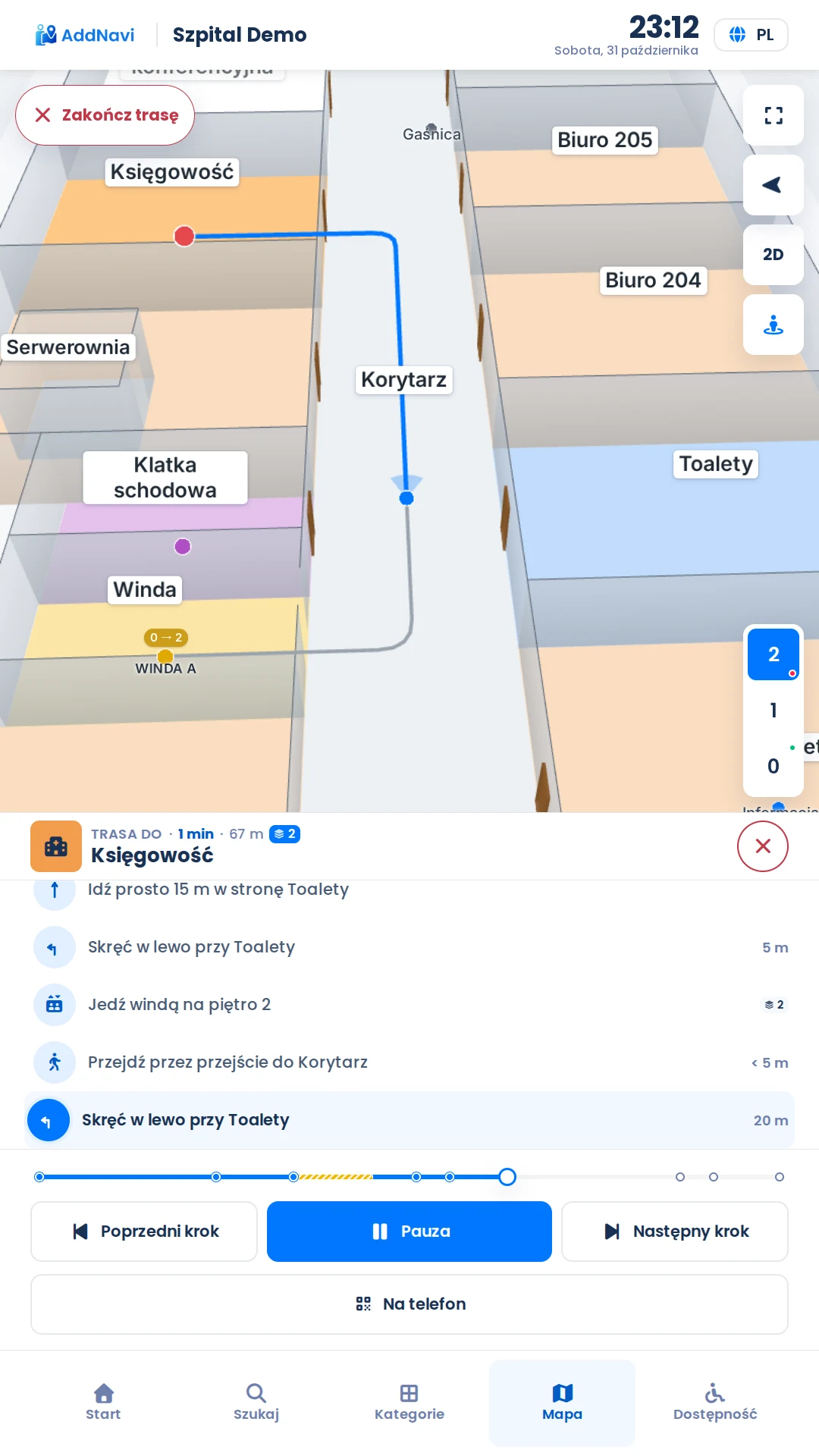
From the entrance to the destination, across floors and buildings
Visitors search for a department, room, company, stand or person. AddNavi plans the route from where the kiosk stands and guides them step by step.
- Lift or stairs, and step-free straight away in accessibility mode
- Routes between buildings on one site
- Directions based on landmarks on a 2D and 3D map
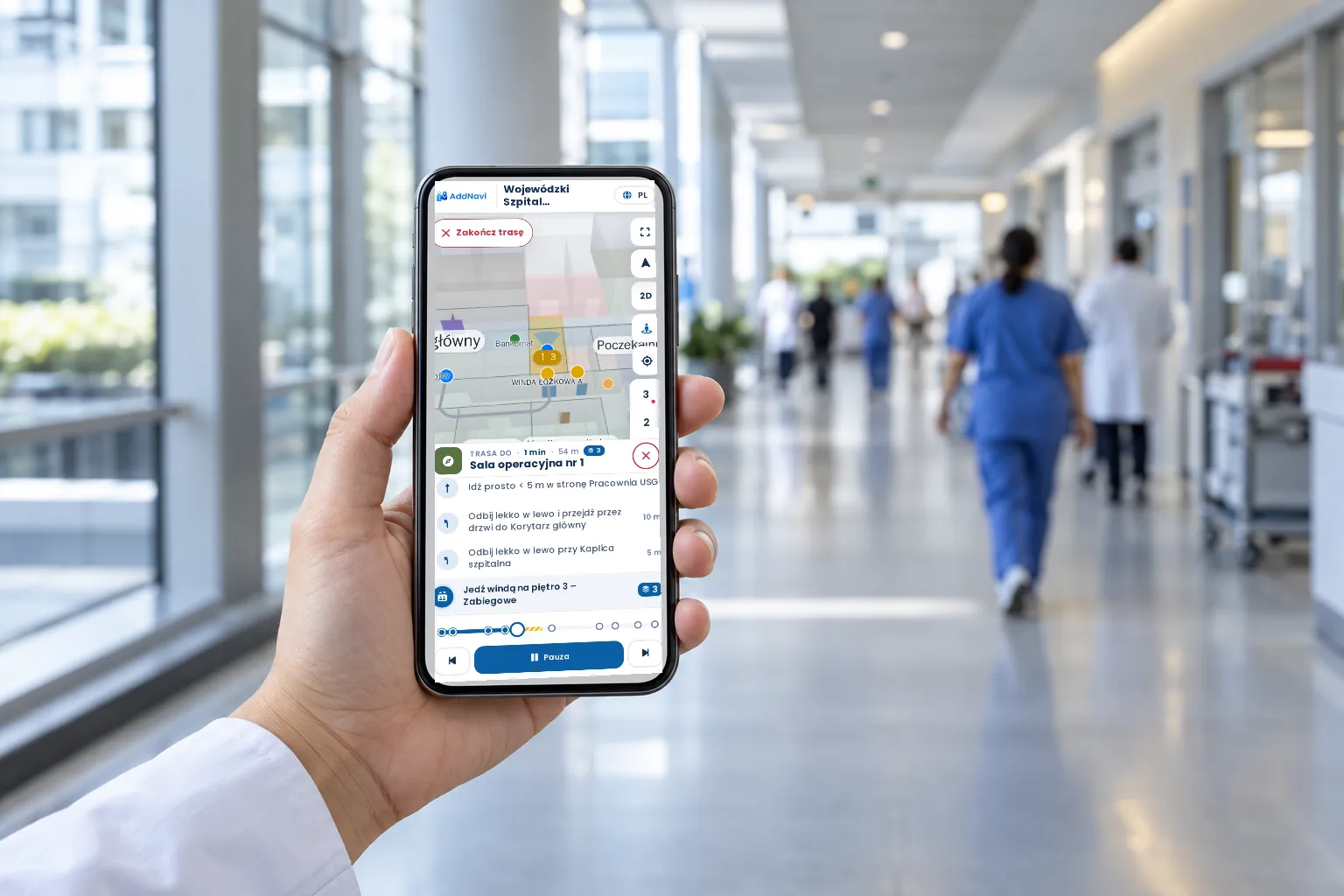
The route on the visitor’s phone
At the kiosk, visitors scan a QR code. The route opens in the phone’s browser, with no sign-in, and keeps guiding.
- QR codes on site know their position and direction
- Phone positioning from BLE beacons
- Languages chosen for the site’s visitors
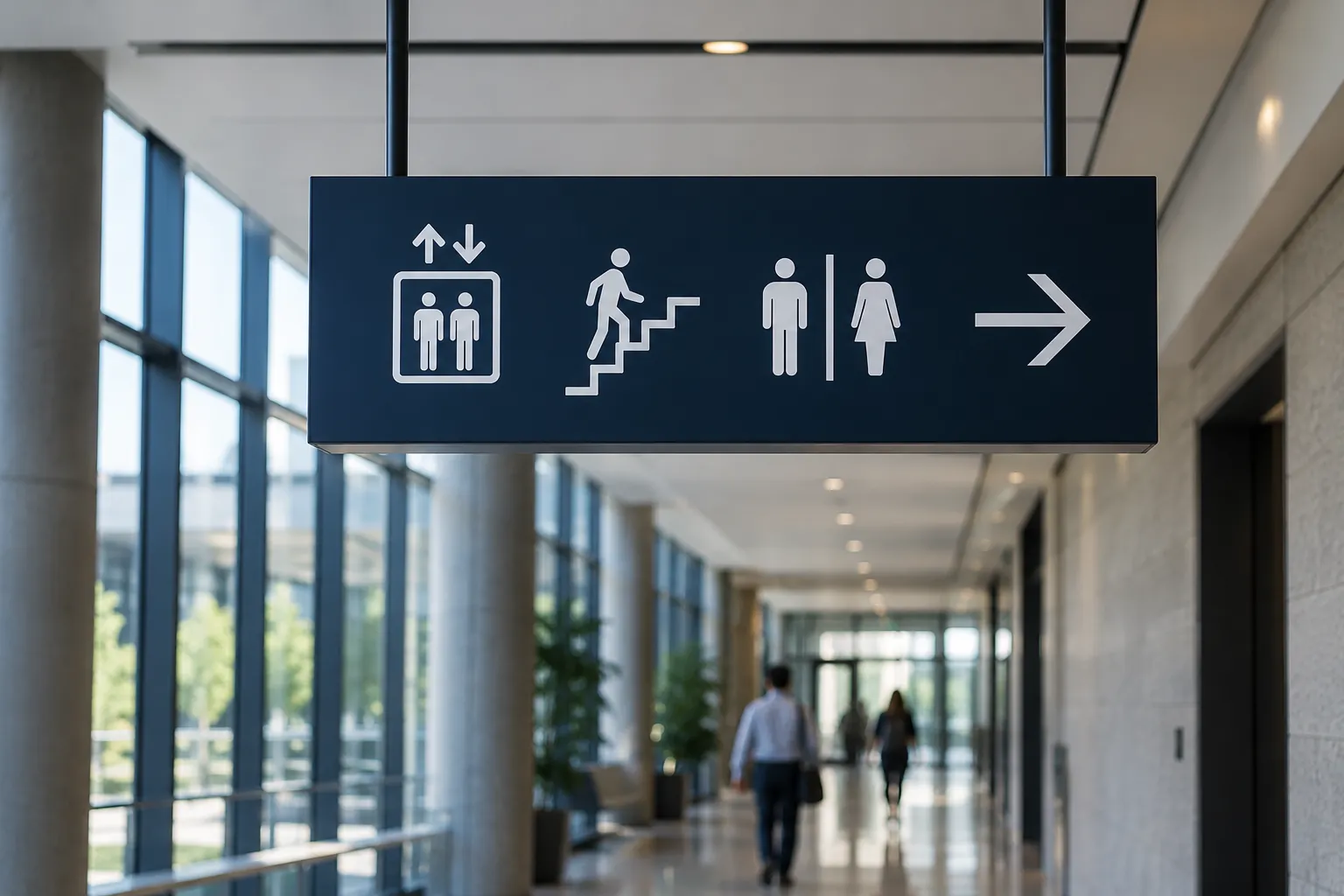
Map updates when the site changes
The AddNavi deployment team prepares and updates the site map. A relocated clinic or a new tenant appears in the routes without replacing signs.
- The site’s colours and logo on kiosks and phones
- Wording that fits the type of site: department, hall, stand
- A photorealistic model for selected sites

Admin panel and analytics
In the admin panel, the organisation manages content, categories and contact details. Analytics show how visitors use the map.
- Top searches and destinations
- Routes and entry points
- Movement heat map and data export
Kiosks that fit the site
A wide range of free-standing kiosks, wall-mounted kiosks and totems, in indoor and outdoor versions. For sites with specific requirements, Addictive designs turnkey kiosks that blend into the architecture and visual identity of the place.
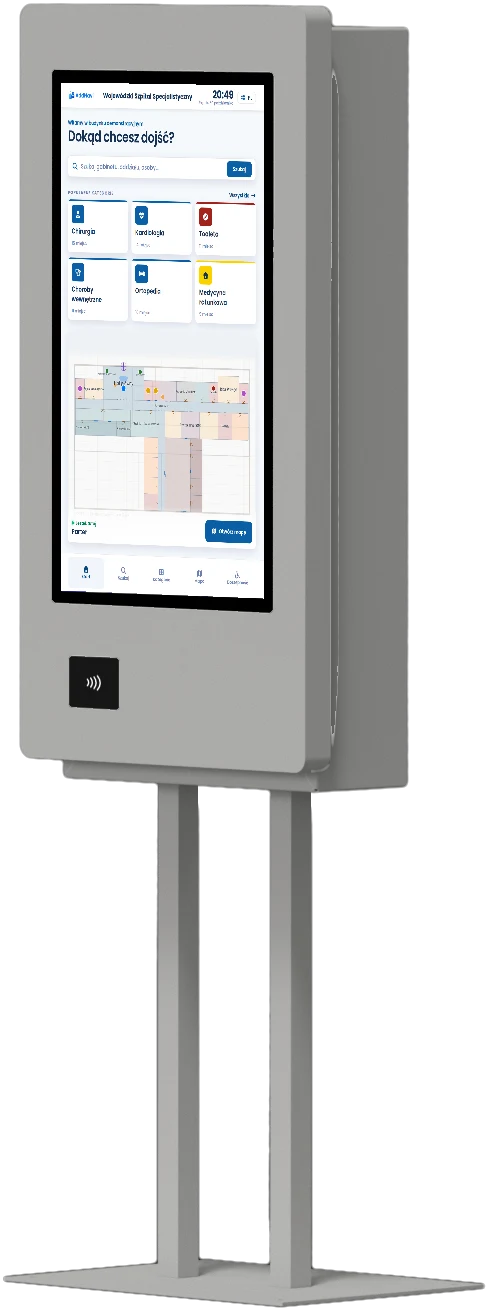
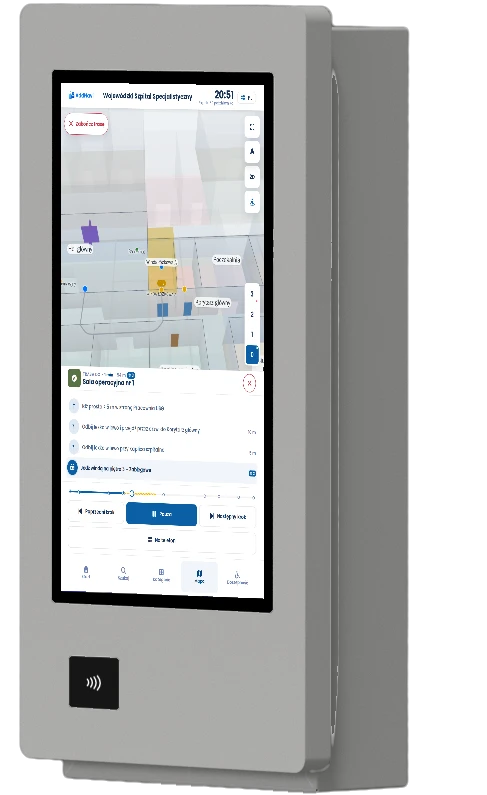
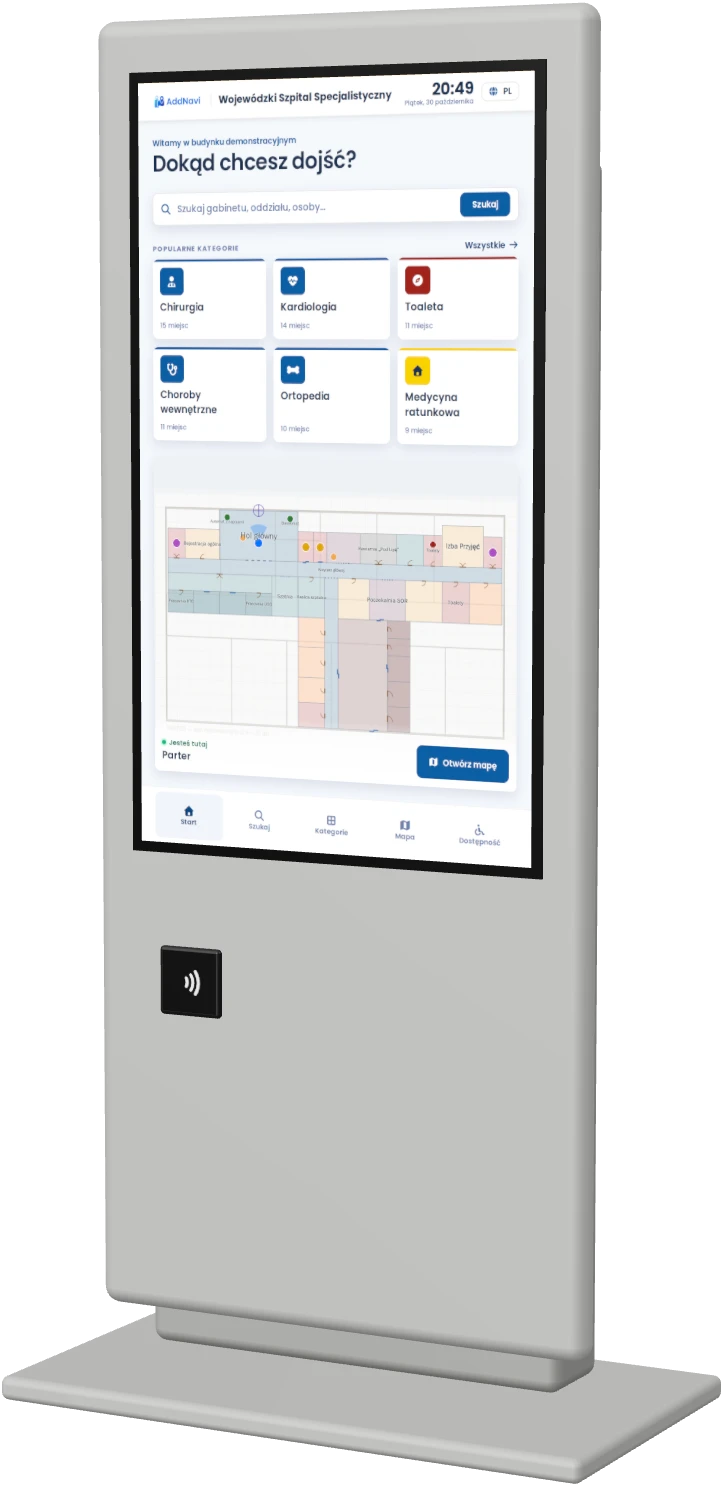
Example proposals from the available models.
What the system can do
The scope of each deployment is tailored to the site. All the capabilities below are available in AddNavi.
Routes across floors and buildings
By lift or stairs, between buildings on one site.
2D and 3D map
A clear map, and a photorealistic model for selected sites.
Accessibility
WCAG 2.2 AA compliance. Step-free routes, controls within reach of a wheelchair user, large text and contrast.
Multiple languages
Interface and content languages chosen for the site’s visitors.
Search for places and people
Rooms, departments, companies, stands, employees and categories.
BLE positioning
The phone’s position inside the building from Bluetooth beacons, typically accurate to 1–3 m.
QR codes
The route from the kiosk to the phone, and the map starting from the right spot.
Analytics
Searches, routes, a movement heat map and data export.
Addictive ecosystem
One kiosk can combine wayfinding with other Addictive services.
Solutions by industry
Every industry faces different challenges with movement on site. AddNavi adapts to them through search, wording and the scope of the deployment.
Deployment, maintenance and security
The AddNavi deployment team prepares the map, and Addictive maintains the environment and looks after the hardware. The IT department gets a solution that complies with ISO 27001 and meets security and data protection requirements.
Deployment and support
- Site mapThe map is prepared from the site’s plans and updated whenever the site changes.
- Environment maintenanceThe environment and kiosks are monitored around the clock, and kiosk software is updated remotely.
- SLA in the contractService levels are set out in the SLA.
- Hardware serviceKiosk servicing handled by Addictive.
- TrainingTraining for the organisation’s system administrators.
Security
- ISO 27001Addictive has implemented an information security management system that complies with ISO 27001.
- Data in the EU or on siteThe Addictive cloud within the EU as standard. For organisations with specific requirements, installation on their own infrastructure.
- Data protectionEncrypted connections and data, regular backups, and each client’s data kept separate from other clients’ data.
- Testing and incidentsRegular penetration tests, including external ones, and a defined incident response procedure.
- GDPRGDPR-compliant processing under a data processing agreement.
Access and integrations
- SSO and rolesAdmin panel sign-in with a company account, role-based permissions.
- Change logThe panel records who changed what and when.
- Company directoryIntegration with the organisation’s user directory (Active Directory).
- Organisation systemsIntegrations with hospital, queue management, hotel, delivery booking and visitor management systems, delivered individually.
- Addictive productsOne kiosk can combine wayfinding with other Addictive services.
AddNavi by Addictive
AddNavi is developed by Addictive Group, a team that has spent 7 years building software and self-service solutions for large organisations: companies, public institutions and military units.
Frequently asked questions
Who prepares the site map?
The AddNavi deployment team, from the site’s plans, with a site visit where needed. The organisation does not have to draw anything.
Where does a deployment start?
With a conversation about the site: who needs to be guided where, where the kiosks will stand and where the QR codes will hang. From there, the AddNavi deployment team prepares the map and content, and finally trains the organisation’s administrators.
How are changes made?
Administrators change descriptions, opening hours, people and highlights themselves in the panel. Changes to the layout, such as a relocated clinic or a new passage, are reported to the AddNavi deployment team, which updates the map.
Do visitors need to sign in?
No. The route opens on the kiosk or in the phone’s browser after scanning a QR code.
Where is the data stored?
As standard, in the Addictive cloud within the European Union, in line with the GDPR and under a data processing agreement. For organisations with specific requirements, such as the public sector and the military, the system can be installed on their own infrastructure.
Does AddNavi meet accessibility requirements?
Yes. The application meets WCAG 2.2 at level AA. The kiosk has an accessibility mode with step-free routes, controls within reach of a wheelchair user, and large text and contrast.
Does AddNavi work with the organisation’s systems?
Yes. The admin panel supports sign-in with a company account and integration with the user directory (Active Directory). AddNavi works with other Addictive products, and integrations with the organisation’s systems are delivered individually.
Which kiosks are available?
A wide range of free-standing kiosks, wall-mounted kiosks and totems, in indoor and outdoor versions. For sites with specific requirements, Addictive designs turnkey kiosks.
Does the system support multi-building complexes?
Yes. AddNavi guides people across floors, between buildings and across outdoor grounds, such as an industrial site or a resort.
Talk to an expert
An AddNavi expert will discuss the specifics of the site and tailor the scope of the deployment.
- E-mailhello@addnavi.com
- Phone+48 51 500 60 70
- AddressAddictive Group Sp. z o.o.
al. Józefa Piłsudskiego 92, 92-202 Łódź, Poland